Cold Stone®
- 3.9
- Rating
- 500.00K
- Installs
- Free
- Price

 Analysis by App-foxy
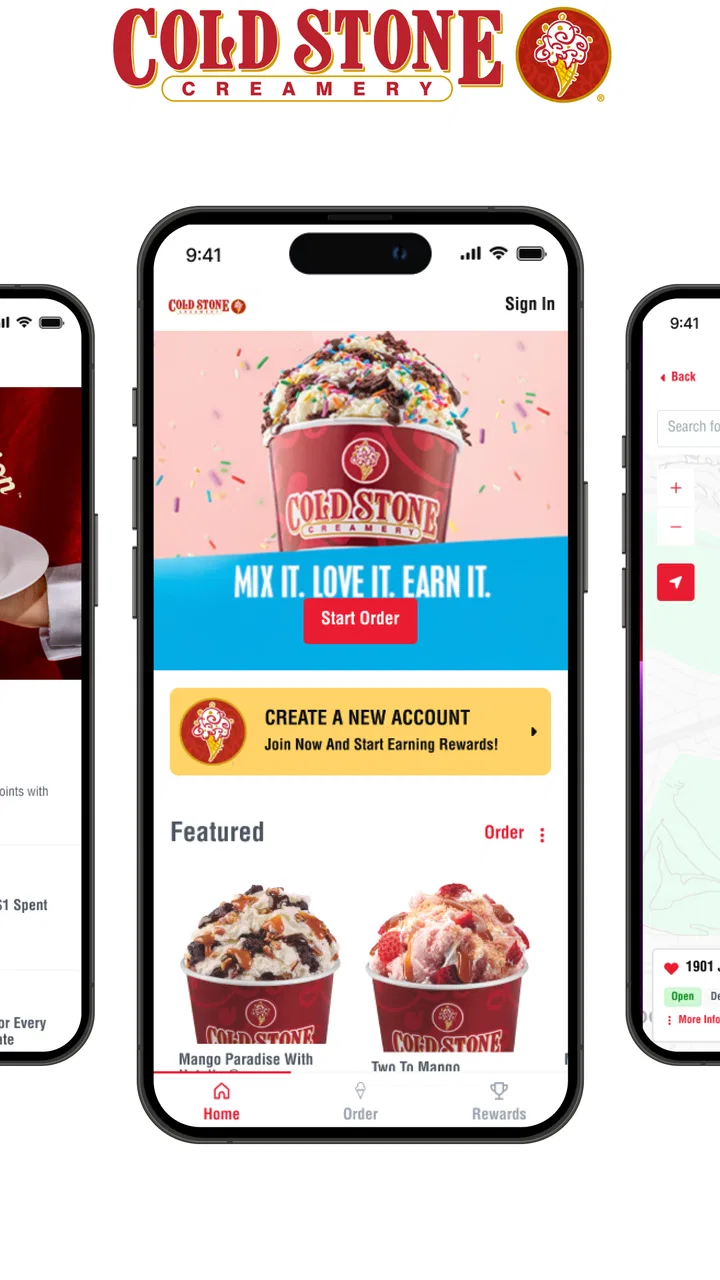
Cold Stone® is the kind of Food & Drink app I open when I am already thinking about ice cream, not when I want to browse a huge restaurant marketplace. Its purpose is focused: help me order made-fresh ice cream, keep an eye on my points and rewards, and locate a nearby Cold Stone shop. That narrow focus is also its main appeal. I do not have to search through unrelated restaurants or bury a dessert order inside a general delivery service.
After spending time with it, I see the app as a convenient companion for regular Cold Stone customers rather than a complete replacement for every way of buying dessert. The experience is most useful when I already know the brand, have a preferred location, or want to check whether my rewards balance can make a planned treat a little better. If I am simply looking for the closest ice cream anywhere, a map app can be more flexible. If I want several dessert brands in one checkout, a broad delivery app may be more practical.
How the current app feels in everyday use
The current release is version 6.0.5, and the app is available at no cost for devices running Android 6.0 or later. It is published by Kahala and carries an Everyone age rating, which fits the straightforward purpose and family-oriented nature of the service. The app has passed the early-adopter stage: it has more than 500 thousand installs, with a 3.9 average from around 4.7 thousand ratings. Those figures suggest a reasonably established tool, although the score also tells me that the experience is not perfect for every customer or every store.
You May Also Like

 Blood Strike: 2.5 Anniversary
Blood Strike’s Loadouts Turn Every Drop Into a Tactical Gamble
A close look at Blood Strike’s custom loadouts: how fast access to signature weapons reshapes its battle royale rhythm, rewards preparation, and narrows the gap between fights.

 Pandora - Music & Podcasts
Pandora’s Music Is Easy to Start, but Harder to Recover
Pandora’s strength is its low-effort path from a seed to a station. Its weak spot is how much confidence it asks you to place in connection, setup, and quiet recovery.

 8 Ball Pool
 Is Built on Rivalries, Rematches, and Routine
A close look at the rivalries, rematches, shared routines, and unanswered safety questions that turn a quick pool match into a persistent mobile community.

 Samsung Music
’s Quiet Strength Is Playing What You Already Own
Its reach comes less from spectacle than from dependable access to a personal library. That simplicity is both the app’s strongest retention engine and its ceiling.

 AccuWeather: Weather Radar
AccuWeather Review: A Quick, Clear Forecast for Everyday Decisions
For everyday plans, the best forecast is the one you can understand quickly. AccuWeather makes rain timing, radar, and local conditions easy to act on, with a few trade-offs.

 Hill Climb Racing
Why Hill Climb Racing Still Turns Crashes Into One More Run
A tiny car, a bumpy hill and one more upgrade: Hill Climb Racing keeps resurfacing because its simple chaos makes every near-miss feel personal.
More From Our News Desk



My first impression is that the app works best when I treat it as a direct connection to a Cold Stone location. The useful path is easy to understand: choose a shop, look through the available ice cream choices, place an order when ordering is supported for that location, and return later to review loyalty progress. The location finder is especially helpful when I am in an unfamiliar part of town, because it turns the app into more than a digital menu.
The important practical detail is that a brand app is only as useful as the shop selected inside it. A nearby location may have different hours, ordering availability, or local operating conditions from another one. I would therefore choose the location before spending time building an order. That small habit reduces the frustration of selecting items first and discovering later that I picked the wrong shop.
For a normal evening scenario, imagine that I am meeting friends after dinner and want to pick up ice cream on the way home. I can use the location feature to identify the most convenient Cold Stone shop, check the menu through the app, and decide whether ordering ahead makes sense. If I already use the rewards area, I can also check my balance before paying rather than trying to remember it at the counter. The value is not dramatic, but it removes several small decisions from a familiar purchase.
Ordering is useful when the plan is already clear
I like the ordering side most when I know what I want and want to avoid explaining a complicated custom choice at a busy counter. Cold Stone is associated with made-fresh combinations, so being able to think through the order on a screen can make the process calmer. I can review the selection before committing instead of making every decision while other customers are waiting behind me.
That same customization-oriented identity creates a trade-off. People who enjoy choosing every detail in person may find the app less satisfying than visiting the shop and talking through options with staff. A screen is efficient, but it cannot replace the reassurance of asking a question face to face. For a first visit, a counter order may be better because I can make decisions with help. For a repeat order, the app becomes more attractive.
I would also avoid assuming that the app is the best route for a last-minute order during a crowded period. Digital ordering can save time, but it still depends on the selected shop and its ability to handle the request. If timing matters for a birthday pickup or a short break at work, I would check the location carefully and leave some flexibility rather than planning around an exact minute.
Rewards are more useful as a planning tool than a surprise
The points and reward balance section gives the app a reason to stay installed after a single purchase. I find it more useful when I check it before deciding where to buy dessert, especially if I am already near a Cold Stone location. Seeing the balance can answer a simple question: should I use a reward now, or continue collecting for a later visit?
My advice is to check the rewards area before placing an order, not after. That workflow keeps the balance in mind while I decide what to buy and avoids treating the reward as an afterthought. It is also worth reviewing the checkout carefully, because loyalty benefits are only valuable when the order and selected location match the conditions shown in the app.
The limitation is that a loyalty feature naturally favors people who return to the same brand. If I buy ice cream only once every few months, the reward section may not change my habits. In that case, I would keep the app only if the location finder or direct ordering is genuinely convenient. A general payment or delivery app may take up less mental space if loyalty is not part of my routine.
Finding a shop is a quiet but important strength
The location tool is easy to underestimate. I do not need it every day, but it becomes valuable when I am traveling, visiting a new neighborhood, or trying to choose between several errands. It is also useful for checking whether a Cold Stone shop is close enough to justify a pickup order rather than relying on delivery.
I would use the finder before leaving home, especially if I am carrying a large order or coordinating with friends. A map pin alone does not answer every practical question, but it gives me a starting point and helps me avoid driving toward a location that is inconvenient for the rest of my route. The app is strongest here when I already want Cold Stone; it is not designed to compare every ice cream shop in the area.
What the version history means for existing users
Version 6.0.5 shows that the app is in a maintained, mature phase rather than an untouched release. It first appeared on April 24, 2017, so existing users have had a long period in which the product could evolve from a simple brand utility into a broader combination of ordering, loyalty, and location tools. I would not read the version number alone as proof of a major redesign, but it does indicate that the app has moved well beyond its original launch.
For someone who has used an earlier edition, the most meaningful question is not whether the version number is higher. It is whether the everyday path is dependable: can I reach my chosen shop, understand the order, and see my rewards without unnecessary confusion? The current build feels aimed at those recurring tasks. That is a sensible direction for a brand app because customers usually value a predictable purchase more than a long list of experimental extras.
The evolution also changes how I judge the app. A newly released app can be forgiven for having a narrow starting feature set. A long-running app has to earn its place on my phone by being reliable whenever I need it. The current experience benefits from being focused, but that focus means every weak point in ordering, account access, or location selection matters more.
Existing users should approach an update with a practical mindset. I would review my selected location, loyalty balance, and any unfinished order after installing the current version rather than assuming everything will look exactly as it did before. That is not a criticism of this particular release; it is a sensible habit whenever a food-ordering app changes its interface or account flow.
Where the app has a clear advantage over usual alternatives
Compared with ordering at the counter, the app gives me more time to make a choice and lets me check loyalty information in the same place. Compared with a general delivery service, it keeps the Cold Stone menu and brand relationship together instead of placing the dessert among hundreds of unrelated listings. Compared with a map app, it goes beyond directions by connecting location discovery with ordering and rewards.
None of those advantages applies in every situation. The counter is better when I need personal guidance or want to make a spontaneous decision. A delivery marketplace is better when I am comparing multiple restaurants, combining items from different businesses, or looking for broader delivery coverage. A map app is better when my priority is simply finding any open dessert shop nearby. Cold Stone® earns its place when the brand itself is the destination.
One non-obvious trade-off is that the app can encourage a more deliberate purchase. That is good when I want to control the order, but less good when I enjoy discovering something unexpected. Another is that loyalty information can make a repeat customer more likely to return to the same brand, while a marketplace may expose me to more variety. The better option depends on whether consistency or exploration matters more that day.
Small habits that make the experience smoother
I would build a repeatable routine around the app rather than opening it only when I am already standing outside a shop. First, I would select the intended location. Next, I would review the order and reward balance before reaching checkout. Finally, I would keep the pickup plan realistic, particularly during busy meal and dessert periods. This sequence makes the app useful without asking it to predict every detail of a store visit.
For group orders, I would decide the main choices before opening the app. Digital menus are helpful, but passing one phone around while several people change their minds can be slower than expected. I would also double-check custom selections before submitting, because a made-fresh order can be more sensitive to small mistakes than a standard packaged item.
For families, the Everyone rating and simple purpose make the app approachable, but I would still have an adult handle the final order and reward review. The app can help children choose flavors or combinations, yet the person paying should confirm the selected shop and the contents of the basket. That is a practical way to enjoy the interactive part without turning checkout into a rushed group decision.
Remaining gaps and who should skip it
The biggest limitation is its narrow scope. This is not a universal restaurant app, a nutrition tracker, or a tool for comparing every ice cream option in town. Someone who wants allergy-focused planning, broad dietary discovery, or detailed comparisons across brands may prefer a more general food platform. I would also skip installing it if I rarely visit Cold Stone and have no interest in collecting rewards.
The app also cannot remove every uncertainty from a physical store visit. Location-specific details still matter, and the best digital workflow may not match the reality of a busy shop. I would not rely on it alone for a tightly timed event without allowing extra time. For a casual treat, that limitation is minor; for a large gathering, it becomes more important.
The 3.9 average rating is a useful reminder to keep expectations realistic. It is not a poor score, but it is not a signal that every customer finds the process effortless. In my view, that fits the app’s role: it is a helpful brand utility with several convenient functions, not a flawless ordering system that makes every visit automatic.
What I would watch in future updates
For future releases, I would pay attention to whether the app makes location-specific ordering clearer and whether the rewards area remains easy to understand for occasional users. Those improvements would matter more to me than adding decorative features. A food app succeeds when I can complete a real purchase with confidence, not when it gives me more screens to explore.
I would also watch how the current version handles the balance between customization and speed. Cold Stone’s appeal involves personal choices, but the app should help me make those choices without making a simple treat feel like administrative work. Better organization, clearer confirmation, and a dependable transition from menu to pickup would have a direct effect on existing users.
My final view is positive but selective. I recommend Cold Stone® to regular customers who want one place for ordering, rewards, and store discovery. It is free, focused, and more useful than the short store description might suggest once I build a habit around checking the location and balance before ordering. I would not recommend it as a general-purpose dessert finder or as a substitute for personal help at the counter.
For me, the deciding factor is frequency. If Cold Stone is already part of my routine, the app can save small amounts of time and make loyalty benefits easier to use. If it is an occasional impulse, the installation may not justify itself. The best reason to keep it is not novelty; it is the convenience of having the brand’s main digital tasks together whenever I am ready for an ice cream stop.
FAQs for Cold Stone®
01What features does the Cold Stone® app offer?
The Cold Stone® app provides a seamless experience for ice cream lovers by offering features such as online ordering, customizable ice cream creations, and exclusive rewards. Users can browse the menu, locate nearby stores, and even track their orders. Additionally, the app offers promotions and discounts available only to app users.
02Is the Cold Stone® app free to download and use?
Yes, the Cold Stone® app is free to download on both Android and iOS platforms. While the app itself is free, users will need to make in-app purchases when ordering products. However, the app offers a loyalty program where users can earn points and redeem them for discounts or free products.
03Does the Cold Stone® app require an account to use?
While browsing the menu and finding store locations don’t require an account, creating one is necessary to place orders and earn rewards. The sign-up process is straightforward, needing only basic information. An account ensures a personalized experience, where users can save their favorite orders and payment methods for quick checkouts.
04How secure is the payment process in the Cold Stone® app?
The Cold Stone® app uses secure encryption protocols to protect user information during transactions. Payment information is safely stored, and multiple payment options, including credit cards and digital wallets, are available. Users can feel confident that their financial data is handled securely, aligning with industry standards for mobile transactions.
05What kind of support is available for the Cold Stone® app?
The Cold Stone® app offers robust support through multiple channels. Users can access the FAQ section within the app for quick solutions, or they can contact customer support via email or phone for more personalized assistance. Additionally, the app provides regular updates to fix bugs and improve user experience.
Pros
- Wide variety of ice cream flavors.
- User-friendly interface for easy navigation.
- Loyalty rewards for frequent customers.
- Customizable orders with add-ons.
- Efficient order tracking and updates.
Cons
- Limited payment options available.
- Occasional app crashes reported.
- Not all locations support delivery.
- High data usage when browsing.
- Push notifications can be excessive.

Cold Stone®
Gallery